Anúncios
Most people carry a phone everywhere, but few realize it can supercharge their self-improvement. Downloading goal setting apps can turn everyday intentions into real results, step by step.
Goals shape how you spend your day, but sticking to them is tricky. With goal setting apps, your progress isn’t lost in memory—it’s visible, trackable, and actionable on your device.
This article explores how to use simple goal setting apps to set clear objectives, stay motivated, and finally cross your goals off the list. Let’s get started and see what works.
Clarify Priorities with Mobile Tools and Daily Scripts
Gaining clarity is easier when you see your top goals in the palm of your hand. A clear goal brings focus, direction, and measurable outcomes you can check daily.
Begin with an app by writing out one primary goal in your own words. For example, type “Walk 5,000 steps before 5 PM.” The act is immediate, honest, and actionable.
Prioritizing with Categories for Focused Progress
Create categories in your goal setting app such as Health, Learning, or Career. Tap a new category, assign a color, and add specific goals beneath each one.
For instance, label a category “Family” and add “Call Mom Mondays” or “Sunday dinner planning.” This keeps commitments concrete and prevents scattered efforts.
Color-coding helps you spot patterns in weeks when health or work gets ignored. A quick glance at your phone shows exactly what matters right now—and what’s slipping.
Daily Scripts Reduce Procrastination
A daily script is a phrase entered into your app such as “Finish reading one chapter by 9 PM.” Schedule it to pop up as a notification before your typical bedtime.
When the alert appears, you’re nudged to start—and a simple tap to check it off builds satisfaction. Momentum builds with every ticked box, wiring achievement into your routine.
If you miss one, the app shows a streak break. Instead of guilt, respond by entering a practical change: “Read during lunch break tomorrow.” Tweaking scripts beats repeating mistakes.
| Category | Example Goal | App Feature | Takeaway Action |
|---|---|---|---|
| Health | Walk 5,000 steps | Step Tracker | Set a daily reminder that buzzes at 4 PM |
| Productivity | Write 200 words | Progress Bar | Check your percentage complete after lunch |
| Learning | 30 min language practice | Session Timer | Time a session before your commute |
| Wellness | Meditate 10 min | Guided Routine | Play linked meditation track at 7 AM daily |
| Finance | Review budget weekly | Weekly Checklist | Check off ‘budget review’ every Saturday morning |
Stay Consistent by Turning Goals Into Habits You Track
Habits stick when tracked visually, making each win visible. With goal setting apps, consistency turns into a streak—a clear record of follow-through.
Visually tracking habits builds accountability. A chain of checked boxes on your screen shows momentum, motivating you to avoid breaking the streak. That feeling keeps you returning.
Build Accountability with Smart Checklists
Create a daily checklist in your app for each micro-goal, such as “Drink 2 cups of water by noon” or “Stretch before bed,” making each step explicit.
Tapping the item gives instant feedback. This builds a reward loop, encouraging you to keep small promises and strengthening self-discipline for bigger goals later.
- Set reminders for three key actions each day so nothing slips through the cracks. You’ll see precisely what to do, right when you need it.
- Check off each completed task by tapping, which builds immediate satisfaction and serves as proof of effort—concrete evidence you’re moving forward on goals.
- Add micro-goals to your list, such as “review notes before meetings,” which ensures daily progress and prevents overwhelming yourself with vague mega-goals.
- Review your list at night, noting what’s left. This encourages honest reflection and a chance to prepare better for tomorrow’s opportunities or challenges.
- Set up a visual streak counter that rewards you for ongoing commitment. Missing a day resets the count, encouraging follow-through and discouraging skipped steps.
As your list grows, use simple rules: never add more than three new items at once. Maintain focus by working through current habits before adding fresh ones.
Motivation Boosters: Positive Reinforcement on Your Phone
Reward yourself by marking off progress in your goal setting app. The app could play a sound, show a virtual badge, or display a bright streak.
Set fun, personal rewards when reaching milestones. Write “Watch my favorite show after five completed workouts” as a motivator, then check off each workout as it’s done.
- Choose rewards meaningful to you, such as a night out or special treat—this creates anticipation and a sense of celebration tied to your specific habit streak.
- Share your progress with a friend using the app’s sharing function. Light social recognition can fuel further accountability and keep enthusiasm high.
- Set visual cues within the app, like color changes or badges, that pop up after every seven days completed—making progress feel real and tangible to you.
- Reflect on streak stats each Sunday, and use the visual graph to assess confidence growth. This connects your actions to real personal development over time.
- Adjust goals when your streaks plateau. If the “read 10 pages nightly” goal gets too easy, raise it or change the category to keep the challenge alive.
Remain flexible. Use your goal setting app logs to analyze which rewards inspire you, then refine your routine until achievement feels enjoyable—not forced.
Customize Notifications So Reminders Fit Your Routine
Customizing reminders within goal setting apps ensures your goals stay achievable. Tailored notifications keep goals from fading into background noise among daily messages.
With thoughtful scheduling, each alert lands at a relevant moment, like ten minutes before an appointment or right after returning home, prompting actual follow-through.
Timing Your Reminders for Daily Success
Set specific times for each goal’s reminder. For example, schedule “Walk outside” at noon—a gentle nudge right as lunchtime plans are made.
Edit reminder frequency to match how often the habit matters, like weekdays only for tasks tied to work or school. This prevents notification overload and keeps each ping purposeful.
Combine recurring notifications with calendar syncing, integrating goals into your broader schedule. When your app syncs with your mobile calendar, you don’t double-book priorities.
Mini-Scenario: Personalized Nudges Increase Reliability
If you work from home, try setting a pull-down phone alert: “Stand up and stretch.” The buzz feels like a friend’s tap, reminding you to move on time.
Morning routines benefit from daily pop-ups like “Meditate for 5 minutes before breakfast.” Seeing this on waking gets you acting right away instead of drifting off-task.
Record personal voice memos as reminders inside the app, such as “Leave for class at 8:45.” Hearing your own voice adds warmth and urges you to stick to the plan.
Choose the Right Goal Setting App for Your Needs
The best goal setting apps match your style: some focus on simplicity, while others offer robust analytics and long-term vision planning. Picking the right fit makes adoption smoother.
Before downloading, list what features matter for you. For example, if you love visual progress, prioritize apps with charts, streak counters, and bold color themes for instant feedback.
Test Drive Feature Sets for Comfort and Confidence
Spend ten minutes tapping through the new app’s menus and sample screens. Notice whether entering and adjusting goals feels quick, tidy, and motivating—or confusing.
Some offer templates for common goals—like running distance, study hours, or daily budgeting. Try adding one from a template before customizing another from scratch.
When you spot functions you won’t use—like team collaboration, advanced exports, or location-based reminders—ignore them and focus on core tracking and notification features for now.
Example Comparison Table to Guide App Selection
| App Name | Visual Progress | Reminders | Sharing |
|---|---|---|---|
| Simple Streaks | Streak Counter | Customizable | No |
| Easy Goals | Graph/Chart | Flexible | Yes |
| Minimal Daily | Checklist | Basic | No |
| Track Buddy | Progress Wheel | Smart Alerts | Yes |
| Focus Grow | Badge Levels | Push & Email | Optional |
Pick your favorite by focusing on features that directly impact daily motivation—visual streaks, clear lists, and reminders that fit your lifestyle keep engagement strong.
Use Data Insights to Refine Your Strategy Over Time
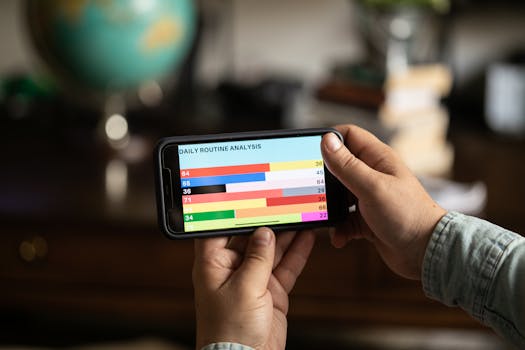
Goal setting apps provide analytics that highlight patterns. Exploring your streak graphs, missed days, or average completion times reveals what helps or hinders your achievement.
Apply these insights: If a healthy eating goal stays unchecked, shift reminders to dinnertime—or split it into smaller actions like “pack snack” and “cook fresh.” Data empowers adaptation.
Deepen Review with Weekly and Monthly Check-Ins
Open your app’s analytics tab each Sunday and review which habits stuck and which slipped. Notice if new intentions last beyond a few days or fade away by Friday night.
Ask yourself: “Which goal felt easiest this week, and why?” Write a note beside your top performer to cement the win, then build on that momentum with realistic tweaks.
Each month, plot progress on a bigger scale. Mark your most successful streaks, then pick an untouched goal to focus on for the following month with adjusted reminders.
Make Adjustments with Real Evidence, Not Guesswork
Drop any habit with repeated failures for two weeks. Replace it with a related, smaller version—like cutting “run 5 miles” to “walk 10 minutes” to rebuild consistency.
Refine reminders for your highest-energy time. If you skip goals set for evening, reschedule to lunch break or right after work. The right timing makes all the difference.
Review completed goals monthly, export progress for reference, and celebrate with small personal rewards. This pauses burnout and reinforces the sense of achievement on your journey.
Conclusion: Stick With Small Steps and Celebrate Progress
Using goal setting apps turns intentions into achievable habits. Clarity, visual progress, smart reminders, and real data transform small daily actions into lasting success, one completed goal at a time.
Goal setting apps simplify routines and eliminate excuses. By customizing features to fit your needs, you’ll notice more focus and higher self-confidence from every tracked win.
Keep adjusting your setup and celebrating progress. There’s genuine satisfaction in checking off each completed goal—your phone becomes an ally on the path toward any milestone you set.